NotiVault
Secure Notification Archive App
"Securely vault and organize your smartphone notifications"
Accidentally swiped away a verification code, a chat message, or a critical update? NotiVault automatically collects and encrypts incoming notifications on your device. Powered by intelligent on-device AI, it categorizes, cleans, and summarizes them local-first.
Core Strengths
Three Core Values of NotiVault
Complete Privacy (Local-First)
All notification gathering, processing, AI summary, and semantic search happen 100% locally on your device. Zero data is sent to external servers, and your local storage is fully encrypted using SQLCipher.
Intelligent Automation
Automatically categorizes finance, OTP codes, shipments, business chats, or spam alerts via offline rules. Hide spam advertisements and customize your category layout with easy drag-and-drop settings.
Productive Reflection
Review your past notification flows on a chronological timeline. Reconstruct memories easily via AI-generated one-line summaries of your daily alerts. Advanced full-text search and semantic queries are supported.
Features
11 Core Features of NotiVault
Integrating cutting-edge on-device AI and security frameworks to elevate your notification workflow.
1. Auto Archiving
Saves sender, body text, time, app icon, and attached images of incoming notifications. Automatically dedupes and encrypts data on-device.
2. Chat-style Messages View
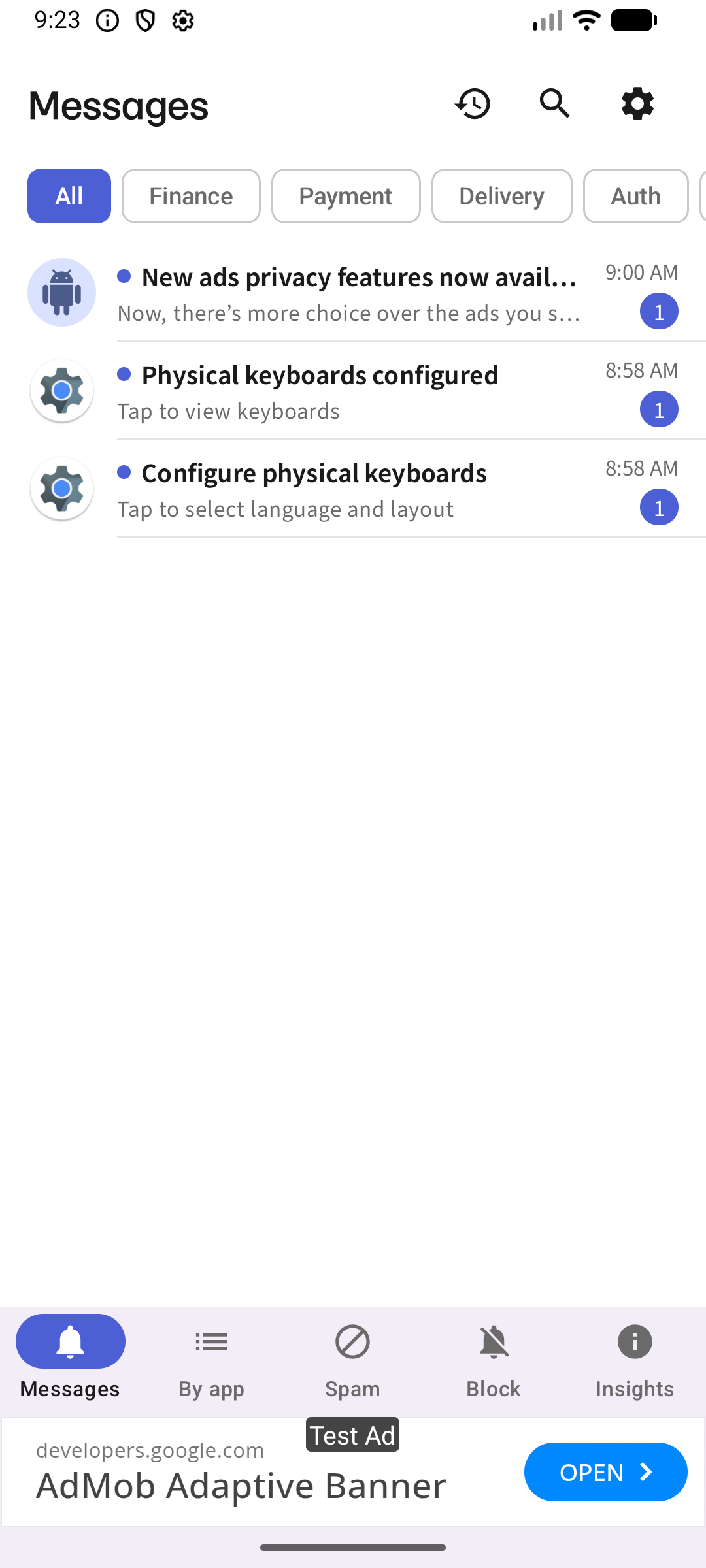
Groups alerts from the same sender into an intuitive chat thread. Shows unread message count and redirects you to the original app in one click.
3. Auto & Custom Categories
Sorts finance, OTP codes, shipments, and advertisements using offline rules. Supports reordering and adding custom categories with custom colors.
4. Spam Cleanup
Auto-filters advertisement spam based on keywords and block learning. Easily whitelists accidentally blocked senders with a single toggle.
5. Keyword & Semantic AI Search
Fast full-text keyword indexing search. If local AI is supported, you can type conversational queries ("show my shipment alert from last week").
6. Insights & Action Needed
Aggregates unread important notifications in one screen. Displays diagnostic graphs of daily alerts fatigue and category distribution.
7. Time Machine Timeline
Browse history chronologically by selecting any date. On devices with on-device LLMs, it summarizes your entire day's alerts in a single line.
8. Smart Reminders
Reminds you of critical unread notifications after a set time. Extracts dates and times from notification texts to schedule calendar appointments.
9. On-device AI Engine
Utilizes system AICore (Gemini Nano) or downloaded Gemma LLMs to summarize or search. Safely falls back to non-LLM text extraction if models are absent.
10. App-level Exclusion Control
Toggle archiving off for sensitive bank apps or private messengers. Gives you absolute control over what is kept inside the local vault.
11. Data Portability
Review overall database file size and cache. Export entire archives to standard JSON or CSV files, and set automatic data expiration rules.
Video Demo
NotiVault in Action
Watch our video demo to see how notification storage, categorizing chips, and semantic AI search run seamlessly.